Story

Another new term: Social Content Management

I like to keep things simple and prefer to use content management system (CMS) as the term used to describe the information system we use to manage all content. However, I will acknowledge that it is sometimes good to categorize a CMS by purpose. This differentiation of a CMS by purpose has given us subcategories of the CMS which include the enterprise content management system (ECM), the web content management system (WCM), and the social publishing system (social business system). In a press release this week, Alfresco introduced me to social content management, another new marketing term to describe a CMS with the purpose of managing social media.

Alfresco is tying to evolve the social content management system higher than the social publishing system within the information system food chain. If you ask them, a social content management system would do something much more than a social publishing system. I'm not convinced of that, but they do make a good argument.

Alfresco Enterprise 3.4 is purpose-built for managing content in a social world. Enterprises are increasingly deploying social business systems like Jive, Salesforce.com’s Chatter, Lotus Quickr, Drupal and Liferay, among others, in the hopes of making employees more effective. According to Alfresco, these social business systems are creating volumes of unmanaged content if left un-checked. Using open standards like CMIS & JSR-168, Alfresco Enterprise 3.4 is a content platform with a goal to co-exist with social business systems to help manage and retain the content created by social business systems.

The marketing team over at Alfresco are pure geniuses. In this case Alfresco is using the social business systems as another catch phrase to describe what I know to be social publishing systems. Alfresco on the other hand identifies their product as as a social content management system that co-exist to manage the social content created by all these other systems. A CMS that is needed to clean up after the mess created by all these other social publishing systems.  I'm not sure I buy the argument that there is much difference between a social content management system and a social publishing system. But I will bite that social content management has a much better ring to it than social publishing system or any other term we use to describe the management of social content.

From now on when I describe a CMS for the purpose of managing social content, I'll likely use the term social content management instead of social publishing system. It seems to be a more fitting term for describing the direction the CMS is currently evolving toward. So hats off to Alfresco for pushing this term in their marketing. In a CMS world where ECM and WCM can exist, I see no reason why there can't be a SCM. On face value, there is nothing wrong with this logic. Except, of course, I like to keep things simple and prefer to simply call all these information systems a content management system. However, who am I to argue with progress.

Alfresco Enterprise 3.4 delivers social content management

This week, Alfresco announced the availability of Alfresco Enterprise 3.4 for download. This new release delivers on Alfresco’s vision of providing the open platform for social content management by delivering both a more robust content platform for building any kind of content-rich application, along with a more social user-interface for collaboration and document management.

Mailbag: An introduction to ProcessWire

While I try to do my best to cover some of the big names in content management systems, I think the best part about CMS Report is it has introduced to both you and me web applications that are just starting to become known to the CMS world.

Ryan Cramer recently introduced me to a relatively new CMS called ProcessWire. Ryan is so passionate about this CMS that he would like to now grow both the user base and the open source community behind ProcessWire. In Ryan's own words:

I'm a regular reader of your Twitter feed (which I enjoy a lot, so thanks for doing it).

I've been designing and developing CMSs for about 10 years now, and specialize in large scale content management solutions for several companies throughout the US. I recently released an open source CMF/CMS project called ProcessWire.  As a user of multiple CMS platforms, I built this tool to be one that fills my own needs where other products don't, and I think it's fairly unique in several aspects (especially with regard to the API).

I'd like to grow the user base with the goal of getting more people involved in the project itself. Now that we've gone past the developer preview stage, I'm starting to look at how to get the word out...

Thanks,
Ryan

ProcessWire 2.0 is very similar in look and function to Dictator CMS (2003) and ProcessWire 1.0 (2007), both of which are still in use on many sites today. Despite intentions to do so, neither product was ever released open source, except for the projects the author used it with. ProcessWire 2.0 is the first GNU/GPL licensed version, and it is architecturally stronger than the CMSs that preceded it.

A number of  sites have already been developed with ProcessWire including such sites such as Lost River Winery, TripSite.com, Island Hideaways. Honestly, I was impressed with the design quality and functionality of the sites developed with ProcessWire.

All in all, if you're bored with your current CMS or looking for something different I think you should look at this most promising CMS, ProcessWire.

Drupal 7 has been officially released

After three years of open source development, Drupal 7 has finally been released to the public. As Ric Shreves previously mentioned in his article, there are literally hundreds of changes in Drupal 7. I've included below a list of the more significant changes from Drupal 6 to Drupal 7. I've also included a nice Drupal 7 marketing video via Jeff Robbins at the bottom of this post. Also there is always official Drupal 7 announcement for additional information on this latest version of Drupal.

Get started with Drupal 7Barring any unforseen changes to how I manage this site, I expect we will be upgrading CMSReport.com from Drupal 6 to Drupal 7 within the next few months. I've been playing with Drupal 7 off and on this past year, but I must confess I haven't been as aggressive in my testing of this version of Drupal as I was with Drupal 6.

Some of the more significant changes in Drupal 7 since the release of Drupal 6 include:

1. Overhaul of the User Interface

Work has been done to improve the user experience and administration interface. The new administration theme "Seven", the overlay module, the dashboard and the configurable shortcut bar, all lead to a much more user-friendly interface.

2. Custom Fields

Drupal 7 bundles in the ability to add custom fields, similar in functionality to the Content Construction Kit (CCK) module. However, fields are no longer limited only to content types; they can be added to users, taxonomy terms, and other entities. Fields also have support for translations.

3. Image Handling

Drupal 7 brings native image handling to core. Image fields may be added to content, and have image styles applied to them, such as scaling, cropping, and other effects.

A First Look and Review of Drupal 7

Editor's Note: The following aritlce is authored by Ric Shreves and first appeared online at  Open Source CMS Pro. Permission has been granted to repost the article here at CMSReport.com.

Now that Drupal 7 has gone through a couple of Release Candidates, we feel confident that what we can see on the screen today represents very closely what everyone can expect in the final Drupal 7 production release. So, with some certainty at our backs and the release date just around the corner (we hope!), we thought it was time for us to present a Drupal 7 “first look,” that is, an overview of what everyone can expect from the new Drupal 7.

There are literally hundreds of changes in Drupal 7. Many of those changes are “minor” in the eyes of most users, indeed, they are essentially invisible. This doesn’t mean those small changes aren’t important, simply that they aren’t on the radar for the average user. In this article we are going to focus on just the highlights, in three key areas:

  • Changes visible on the surface
  • Extensions of the Admin functionality
  • Enhancements to the technical infrastructure

On the Surface

The first thing you notice when you fire up Drupal 7 is a new look and feel. For the first time in years, the release includes new themes. The only holdover from previous releases is the Garland theme, which has been updated to be Drupal 7 compatible. The new themes include:

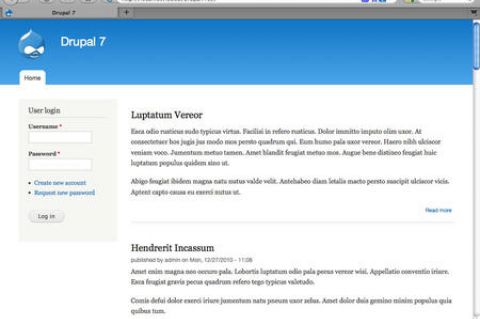
  • Bartik: The new default theme. Shown in the screenshot on the left.
  • Seven: The new admin theme, seen in several of the screenshots, below.
  • Stark: A new starter theme, intended for jumpstarting theme creation efforts via sub-themes.

Of the four themes (three new ones + Garland), only Garland and Bartik are ready to use on the front end of the site. Stark is purely a base theme, barren of all styling excepting only the default system styles. Garland remains, well, Garland; it's basic and offers not a lot. Bartik is a big improvement with more than a dozen regions (module positions) available. Still, visually, Garland and Bartik are not worlds apart. Some additional variety would have been nice. (We note that the theme Corolla, which was included in earlier Drupal 7 beta releases did not make the final cut, sadly.)

The inclusion of a base theme (Stark) is a nice move -- giving themers who don't want to use Zen (or other external starter themes) an easy way to build their own themes via sub-theme creation. One of the most welcome changes in Drupal 7 is the revision of the administration interface. This is not a minor tweak – this is a complete revision of both the interface and the information architecture. Long overdue, I think we all can agree…

The new look of the Drupal 7 admin system The new admin interface includes not only its own dedicated theme (Seven), but also a new overlay, toolbar and shortcuts menu, as shown in the screenshot, at right. The overlay gives you a light box approach to the admin layer, preserving in the background the front-end theme. Having a dedicated theme for the admin system is a huge improvement in usability for the system and that alone would be reason to celebrate, but changes don’t stop there.

The new toolbar is anchored to the top of the browser window, reminiscent of the popular Admin Menu module many of us used in the past. There is also a configurable shortcuts menu present on the bottom edge of the toolbar; you can add your own favorites to the shortcut menu. A related improvement in look and feel is the inclusion of the Vertical Tabs functionality in the core. The functionality improves usability and reduces admin system clutter.

The Drupal team has also taken a fresh look at the admin system’s labels and information architecture. They’ve cleaned things up, eliminated redundancies and clarified labels. All in all, the admin system changes finally bring Drupal into a state of usability that will make the system much more accessible for many non-technical users.

The final area I want to highlight is a set of minor changes that will be meaningful to old Drupal users. Drupal 7 has “cleaned house” and done away from some of the legacy features that, frankly, weren’t of much utility. Gone in Drupal 7 are the Mission Statement functionality and the Footer Message. The site Search is now simply a block, instead of having two different versions of the same functionality. Also gone is the Theme Switcher option for users. Again, changes that clean things up, reduce complexity, and improve usability of the system as a whole.

BPM Success: Integration is the Key

Communication is everything. The moment we’re born, the labyrinth of neurons in our brain starts processing and distributing information. Strong neural connections help our brains to expand their function so we can make smart decisions and reach our potential. Our well being relies on quick, efficient messaging. If the right connections aren’t made early on, our brains miss vital input that would otherwise instruct or protect us.

The MODx Revolution 2.0 Interview

In late July, MODx Revolution 2.0 was released. Before the project's release, I interviewed though email Ryan Thrash, CEO and co-founder of the MODx project, as well as Jay Gilmore. In a joint response, they graciously answered some of my questions about MODx. Below are my questions and their responses from our MODx interview.

CMS Report - The release of 2.0 is a new beginning for MODx...where does MODx go from here?

MODx LogoMODx - MODx Revolution represents a sharp inflection point in our history. We have a lot of very positive announcements to make in the coming weeks, but here’s a high level overview:

  • MODX, LLC, is a new company we’ve formed to stand behind the core products and to continue to foster the ongoing development of the software and the MODx ecosystem in general.
  • We’re hiring both from within the community and bringing in outside expertise to make sure we have a viable and sustainable business. We’re 1000% focused on accelerating MODx adoption, awareness and continuing to rise as one of the top Open Source content management platforms today. 2011 should be an unbelievable year for MODx uptake.
  • We’re looking for qualified developers, consultants and agencies to partner with MODx. They’ll be recognized as MODx experts and Solutions Partners, prominently displayed on our website and outbound marketing efforts, officially launching no later than early 2011. We get a good volume of leads through the website and these will all go to Partners, which is just the tip of the iceberg of benefits from partnering with MODx.
  • Similarly, we’ll be launching commercial support services to meet the demand we’ve seen from businesses in the community. We have great offerings to talk about with regard to this later.
  • We’re relaunching and totally revamping our websit to better focus on and to serve more stakeholders including end users (at our new modx.com URL). We’ll have dedicated community and developer sections to make learning about MODx easier.

What this all means is that there’s now going to be an organization to hold to account for MODx. We’ve done what we think is a good job as stewards since founding the project, and we’ll have dedicated time and resources to do an even better job going forward.

Denial of Service on an Apache server

Last week was a very frustrating time for me. For whatever reason, an unusually number of botnets decided to zero in on my Drupal site and created what I call an unintentional  Denial of Service attack (DOS). The attack was actually from spambots looking looking for script vulnerabilities found mainly in older versions of e107 and WordPress. Since the target of these spambots were non-Drupal pages, my Drupal site responded by delivering an unusually large number of "page not found" and "access denied" error pages. Eventually, these requests from a multitude of IPs were too many for my server to handle and for all intents and purposes the botnet attack caused a distributed denial of service that prevented me and my users from accessing the site.

These type of attacks on Drupal sites and numerous other content management systems are nothing new. However, my search at Drupal.org as well as Google didn't really find a solution that completely addressed my problem. Trying to prevent a DDoS attack isn't easy to begin with and at first the answers alluded me.

I originally looked at Drupal for the solution to my problems. While I've used Mollom for months, Mollom is designed to fight off comment spam while the bots attacking my sight were looking for script vulnerabilities that didn't exist. So with Mollom being the wrong tool to fight off this kind of attack, I decided to take a look at the Drupal contributed model Bad Behavior. Bad Behavior is a set of PHP scripts which prevents spambots from accessing your site by analyzing their actual HTTP requests and comparing them to profiles from known spambots then blocks such access and logs their attempts. I actually installed an "unofficial" version of the Bad Behavior module which packages the Bad Behavior 2.1 scripts and utilizes services from Project Honey Pot.

As I had already suspected, looking for Drupal to solve this botnet attack wasn't the answer. Pretty much all Bad Behavior did for me was to take the time Drupal was spending delivering "page not found" error pages and use it to deliver "access denied" error pages. My Drupal site is likely safer with the Bad Behavior module installed, but it was the wrong tool to help me reduce the botnets from overtaxing Drupal running on my server. Ideally, you would like to prevent the attacks ever reaching your server by taking a look at such things as the firewall, router, and switches. However, since I didn't have access to the hardware, I decided it was time to look at my Apache configuration.

Ten Content Migration Tools to SharePoint Platform

Below is a consolidated list of content migration tool I have come across, and most of this are primarily for content migration to SharePoint Platform.

(1) MetaLogix

https://www.quest.com/metalogix/

SharePoint Site Migration Manager- For migrating content from SPS 2003 to SharePoint 2007 Platform

Web Content Migration Manager for SharePoint - For migrating content from various below listed platforms to SharePoint 2007:

Tutorial: Organizing wiki content using MediaWiki

In this article series by Jeff Orloff and Mizanur Rahman, authors of MediaWiki 1.1 Beginner's Guide , we will learn how to organize our content by creating namespaces that allow us to group pages with similar purposes together, and we learn how to use categories to group pages with similar content together. It also teaches us about redirecting, moving, and swapping pages around so that we can ensure when a visitor comes to our site, they find the information they are looking for because the page titles will match up with page's content.