Story

The 5 biggest myths about eForms and document automation

How do you do more with less? Reduce your reliance on paper processes and start automating your workflow? Can you really create a paperless office? Why has this been a pipe dream until now?

Myth #1: You can scan your way to a paperless office.

REALITY: SCANNING STRATEGIES ARE MISALIGNED. THE REAL FOCUS SHOULD BE ON DATA CAPTURE, WHICH WILL OVER TIME REDUCE DEPENDENCY ON PAPER.

To really succeed in becoming “paperless,” you have to forget about trying to go paperless, for a few reasons.

CMS Expo: TYPO3 Overview

I'm sitting here in the first session of CMS Expo. I've chosen the track that included the TYPO3 Overview session because TYPO3 is one of the few content management systems at the conference I know little about. Yes, I've heard the name TYPO3 but that is about the CMS. Benni Mack, Release Manager for TYPO3 version 4.4, is speaking. I don't know if you can consider this blogging "live" but I'll update the past as the session goes on.

TYPO3 is a mature, enterprise-level, open-source content management system that has been actively developed for ten years. There are currently over 500,000 installations of TYPO3 worldwide. TYPO3 has over 4000 freely available extensions, has been translated into over 30 languages, and is actively being developed in a community of over 100,000 users. The TYPO3 package has been downloaded more than 1.2 million times from Sourceforge and is used by enterprise-level organizations worldwide.

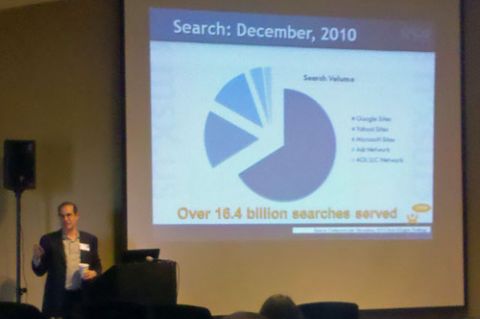
Benni Mack presenting TYPO3 at CMS Expo 2011

Notable remarks presented in this session:

  • TYPO3 is marketed as "THE enterprise CMS in Europe". Forty percent of municipalities in the Netherlands use TYPO3. This CMS is really big in Europe. I hope to ask why they are having a difficult time breaking into the United States market.
  • Element-based CMS that sits on PHP and runs on mySQL (and other databases).. Effective Image Manipulation, Flexible Content Elements (Drupal and other CMS users may know this as CCK).
  • TYPO3 is completely community driven with backing. TYPO3 released under GPLv2 in 2003 and TYPO3 Association in Switzerland in 2004.
  • TYPO3 has a core...with an extension system. Benni has a sign on his slide with "Warning: It's real open source". However, core is definately stable and most extensions work. Extensions can also be installed by one click from typoe3.org. Something we're finally seeing more and more in other open source CMS.
  • Media assets handled in some in core, but there is a host of extensions that can handle the variety of multimedia as well as manage it.
  • TYPO3 is good in "complicated setups" found in the enterprise. TYPO3 is good for long life cycles found in the enterprise. 

I asked the question on there thought about the limited size of the TYPO3 community here in the United States. Both speaker and an audience member says TYPO3 has started to really push their presence in the US in the past couple years. This CMS is just waiting for its moment to be seen as the platform choice for a larger Web site.

Ten Tips for Going Green with Your Intranet

People are increasingly interested in making healthy and environmentally friendly choices at work and at home, and your intranet can support this way of life. Use your intranet to engage and educate employees on greener lifestyles with our top ten tips.

Top Ten Tips for a Greener Intranet

Tip #1: Create a Green Community sub-site

Spearhead your campaign with a Green Community area of the intranet, and then add in collaborative apps like the ones below.

Tip #2: Suggestion box

Finding the right hosting for Bitrix: rocks beneath the surface

You have just completed all the website development work and are ready to take it online. You started to search for a hosting plan that will suit your website and budget. You know the system requirements for Bitrix websites are: Apache 2, MySQL 5, PHP 5 etc. And you see that there a lot hosting plan that meet these requirements. But is it enough to check the system requirements only?

The real answer is – “no”.

Here are several things you should care about:

Main system requirements

Sure, your hosting tariff should meet all the system requirements.

This means that Apache, PHP and MySQL should be installed on the server in appropriate versions.

Sometimes the PHP version can be changed directly in server settings. You need to use either the hosting control panel or edit the .htaccess file. This can be tricky but you can always check it and fix it before the installation.

Specific server settings

  • Be sure that you have safe_mode turned off.
  • Safe mode may interfere with file and image uploads.
  • You need to check the open_basedir settings in your php.ini file and disable it.

New ocPortal 6 includes many new features and improvements

Open source ocPortal 6, a Web content management system, was recently made available to the public. ocPortal 6 is a major new version that incorporates many improvements and improves ocPortal's usability. Despite the significant changes in ocPortal 6, compatibility is expected to remain high with previous versions. The developers of ocPortal strongly advise upgrading to this version of ocPortal due to the significant performance and stability improvements.

Some of the new features and improvements in ocPortal 6 include:

Usability:

  • Install profiles built into the Setup Wizard now allow you to set up a new site really easily. Choose from: blog, community site, info site, portfolio and shopping site.
  • A smaller core. Many former 'core' addons are no longer core, meaning you can strip back and simplify your ocPortal site more than ever (don't worry though, they are still bundled and there by default, nothing is removed). Simplifying ocPortal for new users and small sites is a critical part of our strategy to increase ocPortal adoption.
  • A new Add Comcode Tag button has been placed on forms, which allows you to fill in a simple form to add any Comcode tag rather than typing it by-hand. This brings into the open a lot of very rich functionality that existed in ocPortal that many users won't have realised was there (for example, carousels, or tab navigation).

Review of Drupal's Building Blocks

A couple weeks ago my family spent some vacation time at Disney World in Orlando, Florida. If you have ever been to a Disney theme park then you know full well that it takes a lot of work in those parks just to have fun. Some of the most popular rides in these parks have waiting periods of up to two hours due to the long lines of people wanting to get on board. Luckily, my wife brought a Disney tourist guidebook that gave our family the helpful hints, recommendations, and information we needed to beat those long lines.  In the end, we ended up with a very enjoyable trip (so enjoyable that we got to ride Space Mountain twice!). That travel guide was a valuable asset to my family's vacation. 

Mastering Drupal is very similar to visiting a theme park as it takes some effort on your part to ensure you get rewarded for your effort. If Drupal is the amusement park then consider Drupal's modules as the park's attractions you're wanting to ride. With this line of thinking, I easily recommend that you let Earl and Lynette Miles' book, Drupal's Building Blocks, be your valuable tourist guide into the wonderful world of Drupal. I only review a few books each year and this is a book I gladly invested my time reading.

Drupal's Building Blocks is a tutorial, reference, and cookbook for some of Drupal's most valuable modules including CCK (Content Construction Kit), Views, and Panels. The primary purpose of this book is to give you the quickest route to mastering the modules as quickly as you can in order to help you create more powerful, flexible, usable, and manageable Web sites. The audience for this book isn't only for Web developers or designers, but also site administrators, content architects, and consultants. There is some code in this book, but what is there isn't the scary code you often find in a developer's library.

Although I've worked with Drupal for more than half a decade, I am still among the newbies who struggle with how best to use Drupal's contributed modules. I've built several sites using CCK and Views but I've always ran into hurdles that keep me from fully discovering what these modules can do for me and my sites. This book will provide you the information you need to realize the full potential of these modules. Anybody who has seen Drupal, CCK, Views, and Panels mature over the years can't help but read this book and enjoy not only the author's technical expertise but also the author's cultural and historical understanding for how the module came to be in Drupal. 

In the first chapter of the book, "Introducing CCK and Nodes", there is a section titled "Quest for the Grail: How CCK Was Born". This section alone reads like an adventure story that starts by talking about the challenges site administrators originally had with Drupal needing to acquire development skills just to control the form content would take in Drupal. The story continues with Drupal 4.4 and how a contributed module named Flexinode gave non-developers the ability to create new content types yet limitations remained. I was reminded that with Drupal 4.7 CCK became Flexinode's replacement and with each successive release of Drupal the module continues to improve. For someone like me who started with Drupal 4.6 and watched Drupal 5, 6, and now 7 evolve this book spoke to my inner geek. I simply found this book to be good bridge to the more technical aspects of CCK, Views and Panels.

Wordpress "CMS" 3.1 is Available

This week, the Wordpress core developers released WordPress Version 3.1.This release took a little longer than CMS Report had first anticipated, but we see it as a sign that today's WordPress is much more complex than it used to be when it was considered only a tool for blogging.WordPress Logo In fact, Matt Mullenweg in his Wordpress 3.1. announcement  seemed to recognize this continued evolution of WordPress as a content management system.

With the 3.1 release, WordPress is more of a CMS than ever before. The only limit to what you can build is your imagination.

New features in WordPress 3.1 that would be of interest to content authors and site managers include:

  • A "lightning fasy" redesigned linking workflow which makes it easy to link to your existing posts and pages
  • An admin bar so you’re never more than a click away from your most-used dashboard pages
  • A streamlined writing interface that hides many of the seldom-used panels intended to improve the user experience for new bloggers.
  • A refreshed blue admin scheme available for selection under your personal options

For WordPress developers, additional new features that may interest them in this latest version of WordPress include:

  • A new Post Formats support which makes it easy for themes to create portable tumblelogs with different styling for different types of posts
  • New CMS capabilities:
    • archive pages for custom content types
    • a new Network Admin
    • an overhaul of the import and export system
    • the ability to perform advanced taxonomy and custom fields queries

WordPress 3.1 is available for download from WordPress.org or you can update from within the dashboard within your current version of WordPress.

How YouTube and the Social Web Saved Winter

My back hurts. As with the rest of the United States, my neck of the woods has received more snow and cold weather than one could possibly want for the winter season. Due to the constant snowfall, I have spent a number of my days clearing my driveway from snow with the help of my 15 year old snow blower. Several days ago, the snow blower's auger died on me leaving me with a useless rusting piece of machinery.

Auger Belts

1. Remove the plastic belt cover on the front of the engine by removing two self-tapping screws. See figure 23.

2. Drain the gasoline from the snow thrower or place a piece of plastic under the gas cap.

Contegro v4.0 Changing the Face of Website CMS

The face will be familiar to millions, but in the world of Website CMS this trusted global innovation is yet to be seen until now. With the release of Contegro Version 4, comes a Window’s style desktop that will make even first-time Website CMS users feel like experts.

It’s yet another step towards Contegro’s continuing advancement in completely removing the developer from the website life-cycle, and empowering designers with the sole power to create and manage functionally-rich websites. “Contegro Version 4’s interface brings simplicity and usability in Web CMS to a whole new level,” says Contegro founder Vaughan Reed. “The Window’s Desktop interface is already familiar, so for users every action is intuitive.”

Contegro Version 4’s new Interface and multi-tasking workspace concept is set to revolutionise Web CMS. Take a look at the following key feature releases.

A completely transformed CMS interface

Contegro v4 removes the need to open up multiple browser tabs to manage many different areas of a website or even independent sites; everything can be managed from the new interface. “It makes multi-tasking so simple,” says Reed. “The increase in productivity that can be achieved when setting-up and managing sites by using the new interface, is really exciting.”

Contegro Interface