Drupal

Drupal 7 has been officially released

After three years of open source development, Drupal 7 has finally been released to the public. As Ric Shreves previously mentioned in his article, there are literally hundreds of changes in Drupal 7. I've included below a list of the more significant changes from Drupal 6 to Drupal 7. I've also included a nice Drupal 7 marketing video via Jeff Robbins at the bottom of this post. Also there is always official Drupal 7 announcement for additional information on this latest version of Drupal.

Get started with Drupal 7Barring any unforseen changes to how I manage this site, I expect we will be upgrading CMSReport.com from Drupal 6 to Drupal 7 within the next few months. I've been playing with Drupal 7 off and on this past year, but I must confess I haven't been as aggressive in my testing of this version of Drupal as I was with Drupal 6.

Some of the more significant changes in Drupal 7 since the release of Drupal 6 include:

1. Overhaul of the User Interface

Work has been done to improve the user experience and administration interface. The new administration theme "Seven", the overlay module, the dashboard and the configurable shortcut bar, all lead to a much more user-friendly interface.

2. Custom Fields

Drupal 7 bundles in the ability to add custom fields, similar in functionality to the Content Construction Kit (CCK) module. However, fields are no longer limited only to content types; they can be added to users, taxonomy terms, and other entities. Fields also have support for translations.

3. Image Handling

Drupal 7 brings native image handling to core. Image fields may be added to content, and have image styles applied to them, such as scaling, cropping, and other effects.

A First Look and Review of Drupal 7

Editor's Note: The following aritlce is authored by Ric Shreves and first appeared online at  Open Source CMS Pro. Permission has been granted to repost the article here at CMSReport.com.

Now that Drupal 7 has gone through a couple of Release Candidates, we feel confident that what we can see on the screen today represents very closely what everyone can expect in the final Drupal 7 production release. So, with some certainty at our backs and the release date just around the corner (we hope!), we thought it was time for us to present a Drupal 7 “first look,” that is, an overview of what everyone can expect from the new Drupal 7.

There are literally hundreds of changes in Drupal 7. Many of those changes are “minor” in the eyes of most users, indeed, they are essentially invisible. This doesn’t mean those small changes aren’t important, simply that they aren’t on the radar for the average user. In this article we are going to focus on just the highlights, in three key areas:

  • Changes visible on the surface
  • Extensions of the Admin functionality
  • Enhancements to the technical infrastructure

On the Surface

The first thing you notice when you fire up Drupal 7 is a new look and feel. For the first time in years, the release includes new themes. The only holdover from previous releases is the Garland theme, which has been updated to be Drupal 7 compatible. The new themes include:

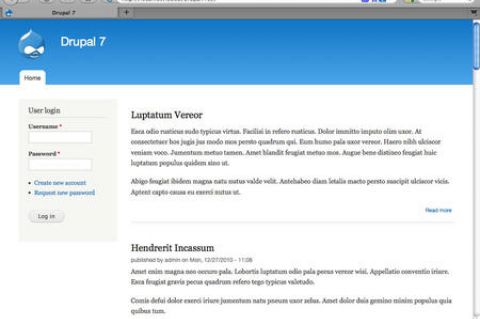
  • Bartik: The new default theme. Shown in the screenshot on the left.
  • Seven: The new admin theme, seen in several of the screenshots, below.
  • Stark: A new starter theme, intended for jumpstarting theme creation efforts via sub-themes.

Of the four themes (three new ones + Garland), only Garland and Bartik are ready to use on the front end of the site. Stark is purely a base theme, barren of all styling excepting only the default system styles. Garland remains, well, Garland; it's basic and offers not a lot. Bartik is a big improvement with more than a dozen regions (module positions) available. Still, visually, Garland and Bartik are not worlds apart. Some additional variety would have been nice. (We note that the theme Corolla, which was included in earlier Drupal 7 beta releases did not make the final cut, sadly.)

The inclusion of a base theme (Stark) is a nice move -- giving themers who don't want to use Zen (or other external starter themes) an easy way to build their own themes via sub-theme creation. One of the most welcome changes in Drupal 7 is the revision of the administration interface. This is not a minor tweak – this is a complete revision of both the interface and the information architecture. Long overdue, I think we all can agree…

The new look of the Drupal 7 admin system The new admin interface includes not only its own dedicated theme (Seven), but also a new overlay, toolbar and shortcuts menu, as shown in the screenshot, at right. The overlay gives you a light box approach to the admin layer, preserving in the background the front-end theme. Having a dedicated theme for the admin system is a huge improvement in usability for the system and that alone would be reason to celebrate, but changes don’t stop there.

The new toolbar is anchored to the top of the browser window, reminiscent of the popular Admin Menu module many of us used in the past. There is also a configurable shortcuts menu present on the bottom edge of the toolbar; you can add your own favorites to the shortcut menu. A related improvement in look and feel is the inclusion of the Vertical Tabs functionality in the core. The functionality improves usability and reduces admin system clutter.

The Drupal team has also taken a fresh look at the admin system’s labels and information architecture. They’ve cleaned things up, eliminated redundancies and clarified labels. All in all, the admin system changes finally bring Drupal into a state of usability that will make the system much more accessible for many non-technical users.

The final area I want to highlight is a set of minor changes that will be meaningful to old Drupal users. Drupal 7 has “cleaned house” and done away from some of the legacy features that, frankly, weren’t of much utility. Gone in Drupal 7 are the Mission Statement functionality and the Footer Message. The site Search is now simply a block, instead of having two different versions of the same functionality. Also gone is the Theme Switcher option for users. Again, changes that clean things up, reduce complexity, and improve usability of the system as a whole.


CMS Report's Top Ten Content Management Stories of 2010

What a great year 2010 was for content management. Open source CMS projects seemed to have grown up this year while proprietary systems appeared to continue in their evolution. While social publishing systems may not have conquered the traditional content management system, the CMS definitely took notice by integrating as many social media features developers could come up with.

Below are the top ten stories of 2010 that were posted here at CMSReport.com. The stories in this list were ranked by the number of views per month since the articles first appeared at CMS Report. 

Top Ten Content Management Stories of 2010

  1. Someone does another Drupal vs Joomla comparison
  2. Open Source versus the Enterprise Solution
  3. Ten Content Migration Tools to SharePoint Platform
  4. Drupal themes go nuclear with Fusion
  5. SilverStripe CMS becomes the first Microsoft Certified open source web app
  6. Denial of Service on an Apache server
  7. Guidelight Business Solutions video of DrupalConSF 2010
  8. Sharepoint 2010 vs WCM Platforms
  9. We Hear You: Our spam filtering needs to be improved
  10. The MODx Revolution 2.0 Interviev

As you can see, stories on Drupal, Joomla!, Sharepoint, SilverStripe, and MODx brought a lot of visitors to the site. Not all the stories listed above would have been one of the ten I would have personally picked, but I'll respect the numbers behind their ranking. I personally, don't like "versus" articles yet readers seemed to flock those articles. Unfortunately quality of writing doesn't appear to always matter as there were some very well written articles we posted in 2010 that didn't make this list.

The year 2011 will undoubtedly bring change and new stories to the world of content management systems. I think the year will also be a year of decision for the direction we take CMSReport.com. I feel as if this site of ours is stuck somewhere between our roots as a niche blog and a potentially popular CMS news site. I'm hoping we make some changes in the new year that all our readers can appreciate and value.

Finalists in Packt's 2010 Open Source Awards announced

Packt Publishing recently announced the finalists in each of the categories for their 2010 Open Awards. While award categories for content management systems are still included, this year Packt is also adding additional flavors of open source projects to be judged. The new award categories include awards for most promising open source project, e-commerce applications, graphics software, and JavaScript libraries.

The Voting for the winners in each of the categories ends on November 5, 2010.  This "public vote" will then be combined with votes by a panel of judges in each category to be announced on November 15, 2010.

Someone does another Drupal vs Joomla comparison

It has been an extremely long time since I've done any type of comparision between Drupal and Joomla!. While I like to keep a close eye on both of these open source content management systems...I just haven't felt the need to compare the two applications with each other. The rhythm of each of the two CMS are so different that I honestly don't know what I would write in the Drupal vs Joomla post. Comparing Drupal and Joomla with each other is like comparing Country music and Jazz with each genre not really capable of diminishing the importance of the other.

This isn't to say such comparisons can't be interesting and useful. I definitely know how popular Drupal vs. Joomla! articles can be and the number of visitors such articles will bring to a site.  If you're interested in reading a new Drupal vs Joomla article, you can find such an article at Achieve Internet.

Some of the comparisons are out of date or lack sufficient technical detail to fully support their conclusions. Furthermore, both Joomla! and the Drupal CMS are on the verge of releasing new versions, Joomla! 1.6 and Drupal 7, that will move both products in a positive direction.

This series of articles attempts to address where the technologies stand now, with a keen eye on the fact that both are moving targets as they approach new releases. The focus will be on using the web design software to build enterprise level websites, including those for large businesses, government agencies, and sizable non-profits, as this is the focus of Achieve Internet, based in San Diego, CA. We will examine the following topics from a technical perspective: baseline content management system (CMS) functionality, back-end appearance and functionality, and coding & customization.

If you're interested in hearing more from Achieve Internet, the article you'll want to read is Joomla! vs. Drupal for enterprise web development, Part 1.

Acquia Search now does more

Some of the most enjoyable Drupal moments for me was the time I spent in 2009  testing Acquia's Search for Drupal. Acquia Search is a plug-and-play service within the Acquia Network, built on Apache Solr and available for any Drupal 6 site.

I think Acquia Search is probably one of the most significant services provided on the Acquia Network and the feature that will continue to attract businesses to not only Acquia but also Drupal.Acquia Logo So although I'm no longer on the Acquia network, I'm pleased to hear that new features have been added to this Apache Solr implementation.

Some of the more significant features being added to Acquia Search include:

  • Attachment Indexing - Utilizing the Apache Solr Attachment module you can now search the text in document files such as PDF and Word documents. This is big! Even cooler, those documents can searched locally or remotely.
  • Multi-site Searches - Search multiple Drupal sites at once.
  • Update to Solr 1.4.1 which fixes a number of bugs.
  • Wildcard Searches

Denial of Service on an Apache server

Last week was a very frustrating time for me. For whatever reason, an unusually number of botnets decided to zero in on my Drupal site and created what I call an unintentional  Denial of Service attack (DOS). The attack was actually from spambots looking looking for script vulnerabilities found mainly in older versions of e107 and WordPress. Since the target of these spambots were non-Drupal pages, my Drupal site responded by delivering an unusually large number of "page not found" and "access denied" error pages. Eventually, these requests from a multitude of IPs were too many for my server to handle and for all intents and purposes the botnet attack caused a distributed denial of service that prevented me and my users from accessing the site.

These type of attacks on Drupal sites and numerous other content management systems are nothing new. However, my search at Drupal.org as well as Google didn't really find a solution that completely addressed my problem. Trying to prevent a DDoS attack isn't easy to begin with and at first the answers alluded me.

I originally looked at Drupal for the solution to my problems. While I've used Mollom for months, Mollom is designed to fight off comment spam while the bots attacking my sight were looking for script vulnerabilities that didn't exist. So with Mollom being the wrong tool to fight off this kind of attack, I decided to take a look at the Drupal contributed model Bad Behavior. Bad Behavior is a set of PHP scripts which prevents spambots from accessing your site by analyzing their actual HTTP requests and comparing them to profiles from known spambots then blocks such access and logs their attempts. I actually installed an "unofficial" version of the Bad Behavior module which packages the Bad Behavior 2.1 scripts and utilizes services from Project Honey Pot.

As I had already suspected, looking for Drupal to solve this botnet attack wasn't the answer. Pretty much all Bad Behavior did for me was to take the time Drupal was spending delivering "page not found" error pages and use it to deliver "access denied" error pages. My Drupal site is likely safer with the Bad Behavior module installed, but it was the wrong tool to help me reduce the botnets from overtaxing Drupal running on my server. Ideally, you would like to prevent the attacks ever reaching your server by taking a look at such things as the firewall, router, and switches. However, since I didn't have access to the hardware, I decided it was time to look at my Apache configuration.

Drupal 6.17: The Drupal Super Fixer-Upper

As much as I talk about Drupal here at CMS Report, I often don't talk about Drupal point releases that provide solely security and bug fixes and no new features. Every once in awhile though there is a new version of Drupal 6 that has been especially polished by Drupal's developers. Drupal 6.17 is one of those releases which contain significant changes I think are worthy a mention.

I'm probably most excited about the improvements made in Drupal 6 for better PHP 5.3 compatibility. A couple weeks ago I tried upgrading my server to PHP 5.3 and there were just too many annoying errors showing up in the Drupal 6 system logs.  I'm hoping with Drupal 6.17, I have better luck this time around (currently running this Drupal 6 sites with PHP 5.3).

With over 55 patches committed to improve Drupal 6, the following are the highlights of changes included in Drupal 6.17:

  • Improvements of session cookie handling
  • Better processing of big XML-RPC payload
  • Improved PostgreSQL compatibility
  • Better PHP 5.3 and PHP 4 compatibility (my fingers are crossed)
  • Improved Japanese support in search module
  • Better browser compatibility of CSS and JS aggregation
  • Improved logging for login failures
  • An incompatibility of Drupal 6.16's new lock subsystem with some contributed modules was also resolved

The latest version of Drupal may be downloaded from the project page at Drupal.org. Whether you're new to Drupal or currently maintaining a Drupal site, this latest release of Drupal is a clear indication that there is plenty of life and plenty of development taking place with the Drupal 6 release. Now what other Drupal 6 sites do I have that still need this upgrade to Drupal 6.17.

Mollom Stats from CMS Report

After two years of spam protection by Mollom people are beginning to proudly show off their ham/spam stats. Davy Van Den Bremt over at Drupal coder writes:

If you're happy about Mollom, just shout it out on Twitter, Facebook, your blog, ... by putting up a screenshot of your stats and saying how many spam has been caught by Mollom. You can find the stats of your site on your Mollom account. If you're using Drupal, you can find them under Administer > Reports > Mollom Statistics.

If you're using Twitter, use the hashtag #mollomstats. I'm looking forward see how much crap content Mollom has spared us from.