Content Management

New ocPortal 6 includes many new features and improvements

Open source ocPortal 6, a Web content management system, was recently made available to the public. ocPortal 6 is a major new version that incorporates many improvements and improves ocPortal's usability. Despite the significant changes in ocPortal 6, compatibility is expected to remain high with previous versions. The developers of ocPortal strongly advise upgrading to this version of ocPortal due to the significant performance and stability improvements.

Some of the new features and improvements in ocPortal 6 include:

Usability:

  • Install profiles built into the Setup Wizard now allow you to set up a new site really easily. Choose from: blog, community site, info site, portfolio and shopping site.
  • A smaller core. Many former 'core' addons are no longer core, meaning you can strip back and simplify your ocPortal site more than ever (don't worry though, they are still bundled and there by default, nothing is removed). Simplifying ocPortal for new users and small sites is a critical part of our strategy to increase ocPortal adoption.
  • A new Add Comcode Tag button has been placed on forms, which allows you to fill in a simple form to add any Comcode tag rather than typing it by-hand. This brings into the open a lot of very rich functionality that existed in ocPortal that many users won't have realised was there (for example, carousels, or tab navigation).

Wordpress "CMS" 3.1 is Available

This week, the Wordpress core developers released WordPress Version 3.1.This release took a little longer than CMS Report had first anticipated, but we see it as a sign that today's WordPress is much more complex than it used to be when it was considered only a tool for blogging.WordPress Logo In fact, Matt Mullenweg in his Wordpress 3.1. announcement  seemed to recognize this continued evolution of WordPress as a content management system.

With the 3.1 release, WordPress is more of a CMS than ever before. The only limit to what you can build is your imagination.

New features in WordPress 3.1 that would be of interest to content authors and site managers include:

  • A "lightning fasy" redesigned linking workflow which makes it easy to link to your existing posts and pages
  • An admin bar so you’re never more than a click away from your most-used dashboard pages
  • A streamlined writing interface that hides many of the seldom-used panels intended to improve the user experience for new bloggers.
  • A refreshed blue admin scheme available for selection under your personal options

For WordPress developers, additional new features that may interest them in this latest version of WordPress include:

  • A new Post Formats support which makes it easy for themes to create portable tumblelogs with different styling for different types of posts
  • New CMS capabilities:
    • archive pages for custom content types
    • a new Network Admin
    • an overhaul of the import and export system
    • the ability to perform advanced taxonomy and custom fields queries

WordPress 3.1 is available for download from WordPress.org or you can update from within the dashboard within your current version of WordPress.

SubHub Lite – A New Drupal 7 Based Web CMS

UK-based website publishing company, SubHub, has launched SubHub Lite, a new Drupal 7 powered web CMS which opened its doors on November 1st in beta and which now already has a few thousand users.
 
SubHub Lite has been built around the concept of outstanding ease of use.
 
With the majority of content management systems making the assumption that their users will have a certain level of technical expertise, a lot of people who would like to build and manage their own website are left out in the cold. Why?

Another new term: Social Content Management

I like to keep things simple and prefer to use content management system (CMS) as the term used to describe the information system we use to manage all content. However, I will acknowledge that it is sometimes good to categorize a CMS by purpose. This differentiation of a CMS by purpose has given us subcategories of the CMS which include the enterprise content management system (ECM), the web content management system (WCM), and the social publishing system (social business system). In a press release this week, Alfresco introduced me to social content management, another new marketing term to describe a CMS with the purpose of managing social media.

Alfresco is tying to evolve the social content management system higher than the social publishing system within the information system food chain. If you ask them, a social content management system would do something much more than a social publishing system. I'm not convinced of that, but they do make a good argument.

Alfresco Enterprise 3.4 is purpose-built for managing content in a social world. Enterprises are increasingly deploying social business systems like Jive, Salesforce.com’s Chatter, Lotus Quickr, Drupal and Liferay, among others, in the hopes of making employees more effective. According to Alfresco, these social business systems are creating volumes of unmanaged content if left un-checked. Using open standards like CMIS & JSR-168, Alfresco Enterprise 3.4 is a content platform with a goal to co-exist with social business systems to help manage and retain the content created by social business systems.

The marketing team over at Alfresco are pure geniuses. In this case Alfresco is using the social business systems as another catch phrase to describe what I know to be social publishing systems. Alfresco on the other hand identifies their product as as a social content management system that co-exist to manage the social content created by all these other systems. A CMS that is needed to clean up after the mess created by all these other social publishing systems.  I'm not sure I buy the argument that there is much difference between a social content management system and a social publishing system. But I will bite that social content management has a much better ring to it than social publishing system or any other term we use to describe the management of social content.

From now on when I describe a CMS for the purpose of managing social content, I'll likely use the term social content management instead of social publishing system. It seems to be a more fitting term for describing the direction the CMS is currently evolving toward. So hats off to Alfresco for pushing this term in their marketing. In a CMS world where ECM and WCM can exist, I see no reason why there can't be a SCM. On face value, there is nothing wrong with this logic. Except, of course, I like to keep things simple and prefer to simply call all these information systems a content management system. However, who am I to argue with progress.

Drupal 7 has been officially released

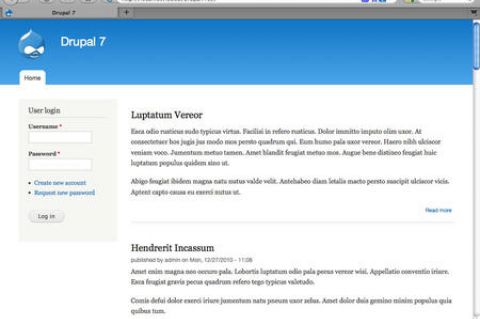
After three years of open source development, Drupal 7 has finally been released to the public. As Ric Shreves previously mentioned in his article, there are literally hundreds of changes in Drupal 7. I've included below a list of the more significant changes from Drupal 6 to Drupal 7. I've also included a nice Drupal 7 marketing video via Jeff Robbins at the bottom of this post. Also there is always official Drupal 7 announcement for additional information on this latest version of Drupal.

Get started with Drupal 7Barring any unforseen changes to how I manage this site, I expect we will be upgrading CMSReport.com from Drupal 6 to Drupal 7 within the next few months. I've been playing with Drupal 7 off and on this past year, but I must confess I haven't been as aggressive in my testing of this version of Drupal as I was with Drupal 6.

Some of the more significant changes in Drupal 7 since the release of Drupal 6 include:

1. Overhaul of the User Interface

Work has been done to improve the user experience and administration interface. The new administration theme "Seven", the overlay module, the dashboard and the configurable shortcut bar, all lead to a much more user-friendly interface.

2. Custom Fields

Drupal 7 bundles in the ability to add custom fields, similar in functionality to the Content Construction Kit (CCK) module. However, fields are no longer limited only to content types; they can be added to users, taxonomy terms, and other entities. Fields also have support for translations.

3. Image Handling

Drupal 7 brings native image handling to core. Image fields may be added to content, and have image styles applied to them, such as scaling, cropping, and other effects.

A First Look and Review of Drupal 7

Editor's Note: The following aritlce is authored by Ric Shreves and first appeared online at  Open Source CMS Pro. Permission has been granted to repost the article here at CMSReport.com.

Now that Drupal 7 has gone through a couple of Release Candidates, we feel confident that what we can see on the screen today represents very closely what everyone can expect in the final Drupal 7 production release. So, with some certainty at our backs and the release date just around the corner (we hope!), we thought it was time for us to present a Drupal 7 “first look,” that is, an overview of what everyone can expect from the new Drupal 7.

There are literally hundreds of changes in Drupal 7. Many of those changes are “minor” in the eyes of most users, indeed, they are essentially invisible. This doesn’t mean those small changes aren’t important, simply that they aren’t on the radar for the average user. In this article we are going to focus on just the highlights, in three key areas:

  • Changes visible on the surface
  • Extensions of the Admin functionality
  • Enhancements to the technical infrastructure

On the Surface

The first thing you notice when you fire up Drupal 7 is a new look and feel. For the first time in years, the release includes new themes. The only holdover from previous releases is the Garland theme, which has been updated to be Drupal 7 compatible. The new themes include:

  • Bartik: The new default theme. Shown in the screenshot on the left.
  • Seven: The new admin theme, seen in several of the screenshots, below.
  • Stark: A new starter theme, intended for jumpstarting theme creation efforts via sub-themes.

Of the four themes (three new ones + Garland), only Garland and Bartik are ready to use on the front end of the site. Stark is purely a base theme, barren of all styling excepting only the default system styles. Garland remains, well, Garland; it's basic and offers not a lot. Bartik is a big improvement with more than a dozen regions (module positions) available. Still, visually, Garland and Bartik are not worlds apart. Some additional variety would have been nice. (We note that the theme Corolla, which was included in earlier Drupal 7 beta releases did not make the final cut, sadly.)

The inclusion of a base theme (Stark) is a nice move -- giving themers who don't want to use Zen (or other external starter themes) an easy way to build their own themes via sub-theme creation. One of the most welcome changes in Drupal 7 is the revision of the administration interface. This is not a minor tweak – this is a complete revision of both the interface and the information architecture. Long overdue, I think we all can agree…

The new look of the Drupal 7 admin system The new admin interface includes not only its own dedicated theme (Seven), but also a new overlay, toolbar and shortcuts menu, as shown in the screenshot, at right. The overlay gives you a light box approach to the admin layer, preserving in the background the front-end theme. Having a dedicated theme for the admin system is a huge improvement in usability for the system and that alone would be reason to celebrate, but changes don’t stop there.

The new toolbar is anchored to the top of the browser window, reminiscent of the popular Admin Menu module many of us used in the past. There is also a configurable shortcuts menu present on the bottom edge of the toolbar; you can add your own favorites to the shortcut menu. A related improvement in look and feel is the inclusion of the Vertical Tabs functionality in the core. The functionality improves usability and reduces admin system clutter.

The Drupal team has also taken a fresh look at the admin system’s labels and information architecture. They’ve cleaned things up, eliminated redundancies and clarified labels. All in all, the admin system changes finally bring Drupal into a state of usability that will make the system much more accessible for many non-technical users.

The final area I want to highlight is a set of minor changes that will be meaningful to old Drupal users. Drupal 7 has “cleaned house” and done away from some of the legacy features that, frankly, weren’t of much utility. Gone in Drupal 7 are the Mission Statement functionality and the Footer Message. The site Search is now simply a block, instead of having two different versions of the same functionality. Also gone is the Theme Switcher option for users. Again, changes that clean things up, reduce complexity, and improve usability of the system as a whole.

WordPress wins Hall of Fame CMS Award

Birmingham, UK. 19 November 2010 - Packt Publishing is pleased to announce that WordPress has won the Hall of Fame Award in the 2010 Open Source Awards. Hall of Fame CMS is a category introduced to the Award last year, which features a competition between the previous winners of the Open Source CMS Award; Drupal, Joomla! and WordPress.

With this award, WordPress has gone from winning the Open Source CMS Award last year to winning the Hall of Fame CMS category, reserved for the biggest projects in the Content Management Framework industry.

WordPress founder Matt Mullenweg told Packt, “On behalf of the entire WordPress community I'm honored to accept this award, it's a great recognition of all the hard work and effort we've invested into WordPress. We envision a day when every man, woman, and child will be able to have an effortless beautiful website powered by Free software."

Someone does another Drupal vs Joomla comparison

It has been an extremely long time since I've done any type of comparision between Drupal and Joomla!. While I like to keep a close eye on both of these open source content management systems...I just haven't felt the need to compare the two applications with each other. The rhythm of each of the two CMS are so different that I honestly don't know what I would write in the Drupal vs Joomla post. Comparing Drupal and Joomla with each other is like comparing Country music and Jazz with each genre not really capable of diminishing the importance of the other.

This isn't to say such comparisons can't be interesting and useful. I definitely know how popular Drupal vs. Joomla! articles can be and the number of visitors such articles will bring to a site.  If you're interested in reading a new Drupal vs Joomla article, you can find such an article at Achieve Internet.

Some of the comparisons are out of date or lack sufficient technical detail to fully support their conclusions. Furthermore, both Joomla! and the Drupal CMS are on the verge of releasing new versions, Joomla! 1.6 and Drupal 7, that will move both products in a positive direction.

This series of articles attempts to address where the technologies stand now, with a keen eye on the fact that both are moving targets as they approach new releases. The focus will be on using the web design software to build enterprise level websites, including those for large businesses, government agencies, and sizable non-profits, as this is the focus of Achieve Internet, based in San Diego, CA. We will examine the following topics from a technical perspective: baseline content management system (CMS) functionality, back-end appearance and functionality, and coding & customization.

If you're interested in hearing more from Achieve Internet, the article you'll want to read is Joomla! vs. Drupal for enterprise web development, Part 1.

The release of WordPress 3.0

In case you haven't heard, WordPress 3.0 was released last week. This is probably the first time I've been behind in blogging about the official release of a new major version of WordPress. However, since I told you all about WordPress 3.0 coming soon a couple weeks ago, I felt there wasn't a need to rush and tell you to go get WordPress 3.0 and try out all it's new features including taxonomy and multiuser integration. Instead, I spent this past week seeing how others reacted to WordPress 3.0.

As a fan of open source content management systems, its been rather pleasing to see some of the larger technology publications spend more time talking about applications like Drupal, Joomla, and WordPress. For the tech press, WordPress 3.0 was no exception with some of the major players such as Computerworld, PCWorld, and TechCrunch all making sure they spin out an article reviewing this latest version of WordPress.

What may surprise you though, is that open source CMS is just not an interest of computer geeks. Slowly but surely, open source CMS is the talk of business folks too. For example, both Fast Company and BusinessWeek made sure that they included articles this past week on WordPress 3.0. In the Fast Company article, Francine Hardaway writes some classic things to why business should pay attention to WordPress. Some of my favorite lines from her article, "6 Reasons Small Businesses need WordPress":

  • "WordPress can do anything you need it to do, and for a small business, that's a gift usually reserved for expensive sites."
  • "Plug-ins for WordPress are the business-to-business version of apps for the iPhone."
  • "WordPress no longer looks like a blog. For small businesses who wouldn't know a blog from a bag of potato chips, WordPress is a website, otherwise known as a content management system."

These are all some fantastic words from Hardaway and I think they show that applications such as WordPress are making a significant impact in the business world. I wouldn't call WordPress an ECM, but it most definately walks and talks like a CMS for the small business folks. If you haven't taken a look at WordPress in quite awhile, I'd encourage you to take a new look at this application.

Below is the summary video from the WordPress folks introducing you to WordPress 3.0. Enjoy.